
7.3 KiB
SeFi-Image
SeFi-Image uses a Flux2-style dual-time transformer (semantic + texture streams), the standard Flux2 VAE, and Qwen3-VL as the LLM text encoder. Tech report: arXiv:2606.22568.
Model files
| Component | Weights and downloads | CLI option | Requirement |
|---|---|---|---|
| SeFi transformer | SeFi-Image repositories | --diffusion-model |
Choose matching scale and family; prepare as described below |
| Qwen3-VL text encoder | 2B for SeFi 1B/2B; 4B for SeFi 5B | --llm |
Required; convert as described below |
| FLUX.2 VAE | FLUX.2 dev | --vae |
Required; flux2_ae.safetensors |
The SeFi-Image family ships in three scales (1B / 2B / 5B) and three families (Base / RL / turbo), all gated on Hugging Face under https://huggingface.co/SeFi-Image.
- 1B and 2B variants pair with Qwen3-VL-2B-Instruct.
- 5B variants pair with Qwen3-VL-4B-Instruct.
- All variants use the standard Flux2 VAE (
flux2_ae.safetensorsfrom https://huggingface.co/black-forest-labs/FLUX.2-dev).
Prepare the transformer and text encoder from the source repository root, using the conversion scripts:
Windows (PowerShell)
python scripts\convert_sefi.py "<hf_repo_dir>" "<out_dir>/sefi_<scale>_<family>.safetensors"
python scripts\convert_qwen3_vl.py "<hf_repo_dir>/Qwen3-VL-XB-Instruct" "<out_dir>/qwen3_vl_<X>b.safetensors"
Linux/macOS
python3 scripts/convert_sefi.py "<hf_repo_dir>" "<out_dir>/sefi_<scale>_<family>.safetensors"
python3 scripts/convert_qwen3_vl.py "<hf_repo_dir>/Qwen3-VL-XB-Instruct" "<out_dir>/qwen3_vl_<X>b.safetensors"
Usage
Web UI
Follow the Web UI guide to start the server, then select the recipe matching your weights. Fill the component slots below and click Load models. Use the files and compatibility requirements in Model files.
| Recipe | Component slots |
|---|---|
SeFi Image 5B RL (sefi-image) |
diffusion_model, llm, vae, tae |
Slot IDs correspond to CLI component options: diffusion_model uses
--diffusion-model, llm uses --llm, and model uses -m / --model.
Select optional components when required by your checkpoint or task.
DGL
| Example | Description |
|---|---|
| 1B Turbo | Distilled generation; see variant defaults for 2B. |
| 1B Base | Base generation; see variant defaults for 2B. |
| 5B Turbo | Run with --max-vram 8 for the streaming example. |
| 5B RL | Use the dual-stream sampler. |
Run a script
Edit paths, prompts and settings in the script's var block, then run from
the build directory. Paths inside the script resolve from the working directory.
Windows (PowerShell)
.\bin\Release\sd-cli.exe -M dgl --script ..\docs\dgl\sefi_image\sefi-1b-turbo-txt2img.dgl
Linux/macOS
./bin/sd-cli -M dgl --script ../docs/dgl/sefi_image/sefi-1b-turbo-txt2img.dgl
Choose another script from the table to run a different task. Add --check
to validate syntax and types without loading weights. See the
shared run instructions for build paths
and the server's file-access rules.
The SeFi example passes the two sigma tensors
from sefi::make_sigmas to sefi::sample. Both tensors must be rank-one F32,
nonnegative, nonincreasing and equal in length. Repeated values describe a
paused stream while the other stream advances. The sampler uses Euler.
schedule = sefi::make_sigmas(steps = 20)
latent = sefi::sample(start, schedule.sigmas, schedule.semantic_sigmas,
                      predict = guided, rng = rng)
The call supports base, denoise_mask, mask_input, finish, cache and
preview options through the shared sampling execution layer. Slice the
texture channels [16, 144) before converting the latent for the Flux2 VAE.
Legacy CLI
CLI examples use the shared path and shell conventions.
1B / 2B turbo
Windows (PowerShell)
.\bin\Release\sd-cli.exe `
  --diffusion-model ..\models\diffusion_models\sefi_1b_turbo.safetensors `
  --vae ..\models\vae\flux2_ae.safetensors `
  --llm ..\models\text_encoders\qwen3_vl_2b.safetensors `
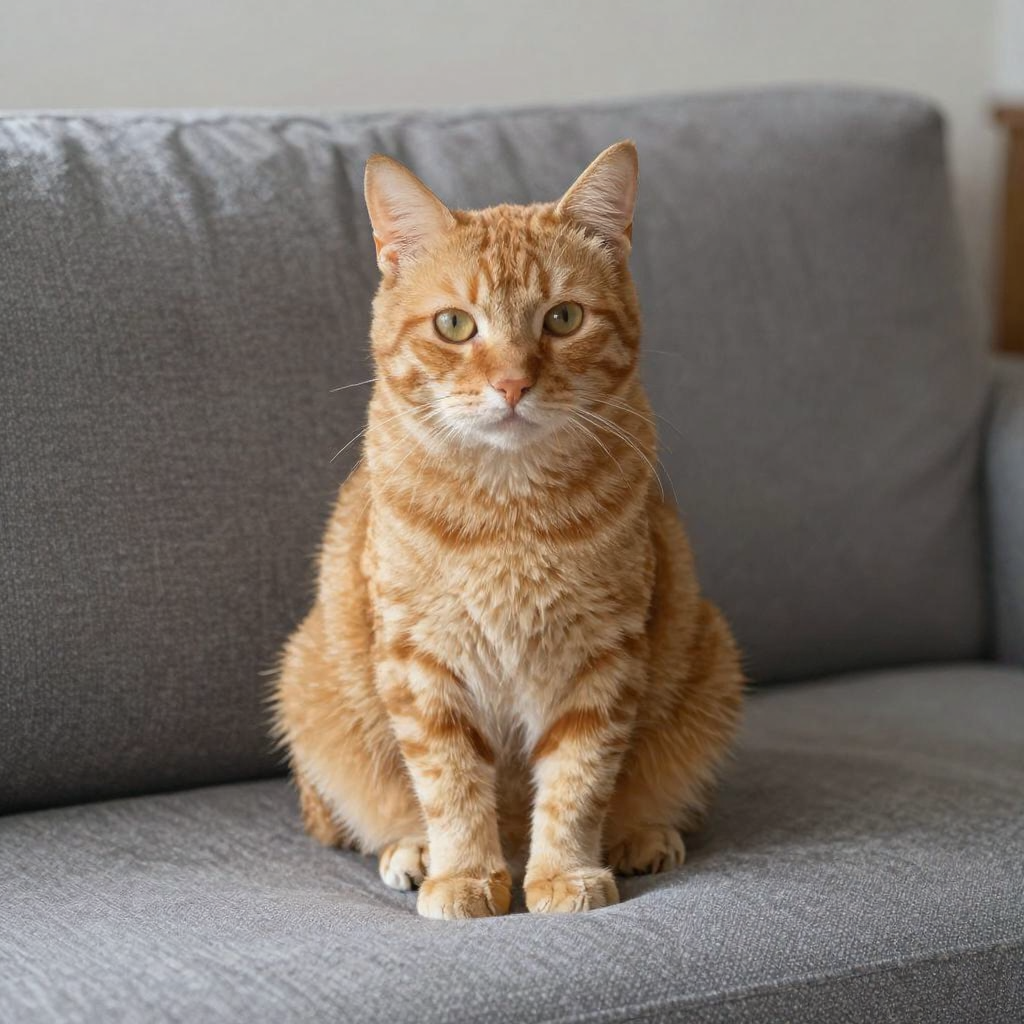
  -p "a photograph of an orange tabby cat sitting on a couch" `
  --cfg-scale 1.0 `
  --steps 4 `
  -W 1024 `
  -H 1024 `
  --offload-to-cpu `
  -s 42 `
  -o out.png
Linux/macOS
./bin/sd-cli \
  --diffusion-model ../models/diffusion_models/sefi_1b_turbo.safetensors \
  --vae ../models/vae/flux2_ae.safetensors \
  --llm ../models/text_encoders/qwen3_vl_2b.safetensors \
  -p "a photograph of an orange tabby cat sitting on a couch" \
  --cfg-scale 1.0 \
  --steps 4 \
  -W 1024 \
  -H 1024 \
  --offload-to-cpu \
  -s 42 \
  -o out.png
1B / 2B base
Windows (PowerShell)
.\bin\Release\sd-cli.exe `
  --diffusion-model ..\models\diffusion_models\sefi_1b_base.safetensors `
  --vae ..\models\vae\flux2_ae.safetensors `
  --llm ..\models\text_encoders\qwen3_vl_2b.safetensors `
  -p "a photograph of an orange tabby cat sitting on a couch" `
  --cfg-scale 4.0 `
  --steps 50 `
  -W 1024 `
  -H 1024 `
  --offload-to-cpu `
  -s 42 `
  -o out.png
Linux/macOS
./bin/sd-cli \
  --diffusion-model ../models/diffusion_models/sefi_1b_base.safetensors \
  --vae ../models/vae/flux2_ae.safetensors \
  --llm ../models/text_encoders/qwen3_vl_2b.safetensors \
  -p "a photograph of an orange tabby cat sitting on a couch" \
  --cfg-scale 4.0 \
  --steps 50 \
  -W 1024 \
  -H 1024 \
  --offload-to-cpu \
  -s 42 \
  -o out.png
5B (needs streaming on 12 GiB VRAM)
Windows (PowerShell)
.\bin\Release\sd-cli.exe `
  --diffusion-model ..\models\diffusion_models\sefi_5b_turbo.safetensors `
  --vae ..\models\vae\flux2_ae.safetensors `
  --llm ..\models\text_encoders\qwen3_vl_4b.safetensors `
  -p "a photograph of an orange tabby cat sitting on a couch" `
  --cfg-scale 1.0 `
  --steps 4 `
  -W 1024 `
  -H 1024 `
  --max-vram 8 `
  --offload-to-cpu `
  -s 42 `
  -o out.png
Linux/macOS
./bin/sd-cli \
  --diffusion-model ../models/diffusion_models/sefi_5b_turbo.safetensors \
  --vae ../models/vae/flux2_ae.safetensors \
  --llm ../models/text_encoders/qwen3_vl_4b.safetensors \
  -p "a photograph of an orange tabby cat sitting on a couch" \
  --cfg-scale 1.0 \
  --steps 4 \
  -W 1024 \
  -H 1024 \
  --max-vram 8 \
  --offload-to-cpu \
  -s 42 \
  -o out.png
Options
Variant defaults
| Family | timestep_shift_alpha | steps | cfg-scale |
|---|---|---|---|
| Base | 0.3 | 50 | 4.0 |
| RL | 0.3 | 50 | 4.0 |
| turbo | 1.0 | 4 | 1.0 |
Set --extra-sample-args sefi_alpha=0.3 for Base and RL; turbo uses the default
alpha of 1. Override the second timeline offset with sefi_delta_t=<value>.
CLI and C API translation forward both settings to the initial and hires
schedules. Image-to-image strength trims both timelines together. Custom sigmas
replace the texture schedule while the semantic schedule uses the same number
of steps.