
11 KiB
Qwen Image 2.1
Qwen Image 2.1 supports text-to-image generation and image editing, using Qwen3-VL-8B as the text encoder and its own VAE.
Model files
| Component | Weights and downloads | CLI option | Requirement |
|---|---|---|---|
| Qwen Image 2.1 | Safetensors GGUF |
--diffusion-model |
Required |
| vae | Safetensors | --vae |
Use matching VAE |
| Qwen3-VL-8B-Instruct | safetensors (BF16 or INT8 convrot): Safetensors GGUF For image editing with a GGUF text encoder, also download mmproj-Qwen3VL-8B-Instruct-F16.gguf from the same repository and pass it with --llm_vision. |
--llm |
Use matching text encoder |
Use qwen_image_2.1_vae_bf16.safetensors with this model. The earlier Qwen Image and Wan 2.2 VAE weights are not interchangeable with the Qwen Image 2.1 VAE weights.
For faster encoding, decoding, or previews, see TAEQI2.1.
Usage
Web UI
Follow the Web UI guide to start the server, then select the recipe matching your weights. Fill the component slots below and click Load models. Use the files and compatibility requirements in Model files.
| Recipe | Component slots |
|---|---|
Qwen Image 2.1 (qwen-image-21) |
diffusion_model, llm, llm_vision, vae, tae |
Qwen Image 2.1 Turbo (qwen-image-21-turbo) |
diffusion_model, llm, llm_vision, vae, tae |
Slot IDs correspond to CLI component options: diffusion_model uses
--diffusion-model, llm uses --llm, and model uses -m / --model.
Select optional components when required by your checkpoint or task.
DGL
| Example | Description |
|---|---|
| Text to image | Generate an image from a prompt. |
| Image editing | Edit a reference image; inputs are aligned automatically. |
Run a script
Edit paths, prompts and settings in the script's var block, then run from
the build directory. Paths inside the script resolve from the working directory.
Windows (PowerShell)
.\bin\Release\sd-cli.exe -M dgl --script ..\docs\dgl\qwen_image_2.1\qwen-image-2-1-txt2img.dgl
Linux/macOS
./bin/sd-cli -M dgl --script ../docs/dgl/qwen_image_2.1/qwen-image-2-1-txt2img.dgl
Choose another script from the table to run a different task. Add --check
to validate syntax and types without loading weights. See the
shared run instructions for build paths
and the server's file-access rules.
The editing script loads the reference
at its original size. vae_encode and encode_prompt each align their input
to multiples of 32, as required by the mapping between vision image slots and
reference latent tokens. The VAE still compresses by a factor of 16.
Already aligned inputs skip resizing. latent_shape creates a compatible output
canvas from the reference dimensions, without imposing a fixed resolution.
Use tensor::interpolate or tensor::crop first to choose a different size.
See DGL media dimensions for rounding and video rules.
Legacy CLI
CLI examples use the shared path and shell conventions.
Use image dimensions divisible by 32. The resolution-dependent flow schedule is selected automatically.
Text to image
Windows (PowerShell)
.\bin\Release\sd-cli.exe `
  --diffusion-model ..\models\diffusion_models\qwen_image_2.1_int8_convrot.safetensors `
  --vae ..\models\vae\qwen_image_2.1_vae_bf16.safetensors `
  --llm ..\models\text_encoders\Qwen3VL-8B-Instruct-Q4_K_M.gguf `
  -p "a lovely cat holding a sign says 'qwen2.1.cpp'" `
  --cfg-scale 6.0 `
  --sampling-method euler `
  --offload-to-cpu `
  -v `
  -o qwen_image_2.1.png
Linux/macOS
./bin/sd-cli \
  --diffusion-model ../models/diffusion_models/qwen_image_2.1_int8_convrot.safetensors \
  --vae ../models/vae/qwen_image_2.1_vae_bf16.safetensors \
  --llm ../models/text_encoders/Qwen3VL-8B-Instruct-Q4_K_M.gguf \
  -p "a lovely cat holding a sign says 'qwen2.1.cpp'" \
  --cfg-scale 6.0 \
  --sampling-method euler \
  --offload-to-cpu \
  -v \
  -o qwen_image_2.1.png

To use GGUF diffusion weights, set --diffusion-model to the path of a file such as qwen_image_2.1-Q4_K.gguf.
Turbo
For Qwen Image 2.1 Turbo, use the Turbo diffusion weights and select its fixed 8-step sigma schedule with --sigmas qwen-image-2.1-turbo. For example, add these sampling options to the command above:
Windows (PowerShell) arguments
--sigmas qwen-image-2.1-turbo `
  --steps 8 `
  --cfg-scale 1.0 `
  --sampling-method euler
Linux/macOS arguments
--sigmas qwen-image-2.1-turbo \
  --steps 8 \
  --cfg-scale 1.0 \
  --sampling-method euler
The preset is equivalent to --sigmas 1.0,0.978453,0.95418,0.926626,0.89508,0.845148,0.704534,0.414568,0.0. It only supplies the sigma values; CFG scale and sampling method remain independently configurable. As with an explicit sigma list, the sigma count determines the actual number of sampling steps. The same preset name is also accepted by --hires-sigmas for the highres fix second pass.
Image editing
Pass the reference image with -r and describe the edit in -p. Vision weights are required; the example below loads them separately with --llm_vision.
Windows (PowerShell)
.\bin\Release\sd-cli.exe `
  --diffusion-model ..\models\diffusion_models\qwen_image_2.1_int8_convrot.safetensors `
  --vae ..\models\vae\qwen_image_2.1_vae_bf16.safetensors `
  --llm ..\models\text_encoders\Qwen3VL-8B-Instruct-Q4_K_M.gguf `
  --llm_vision ..\models\text_encoders\Qwen3VL-8B-Instruct-mmproj-BF16.gguf `
  -r ..\inputs\qwen\qwen_image_2.1.png `
  -p "change 'qwen2.1.cpp' to 'sd.cpp'" `
  --cfg-scale 6.0 `
  --sampling-method euler `
  --offload-to-cpu `
  -v `
  -o qwen_image_2.1_edit.png
Linux/macOS
./bin/sd-cli \
  --diffusion-model ../models/diffusion_models/qwen_image_2.1_int8_convrot.safetensors \
  --vae ../models/vae/qwen_image_2.1_vae_bf16.safetensors \
  --llm ../models/text_encoders/Qwen3VL-8B-Instruct-Q4_K_M.gguf \
  --llm_vision ../models/text_encoders/Qwen3VL-8B-Instruct-mmproj-BF16.gguf \
  -r ../inputs/qwen/qwen_image_2.1.png \
  -p "change 'qwen2.1.cpp' to 'sd.cpp'" \
  --cfg-scale 6.0 \
  --sampling-method euler \
  --offload-to-cpu \
  -v \
  -o qwen_image_2.1_edit.png
For multiple reference images, repeat -r in the desired order, for example -r first.png -r second.png.
Alpha channel
This model supports alpha channel output. As the model determines whether to output a regular image or with transparency through the prompt, according to official recommendation, use the following prompt format for better results:
This is an RGBA image with transparency. <your description>. The image has alpha channel and the background is transparent.
Since transparency is decided by the prompt rather than by the input or an explicit switch, the same format applies equally to editing, whether or not the reference image itself has an alpha channel. Note that alpha is kept only in .png and .webp outputs; saving as .jpg drops the transparency.
Here are some examples ran with Q6_K quantization:
| Input | Prompt | Output |
|---|---|---|
 |
This is an RGBA image with transparency. Replace the text "BLOOM" with "Qwen Image 2.1", keeping the same font of the original text. The image has alpha channel and the background is transparent. |  |
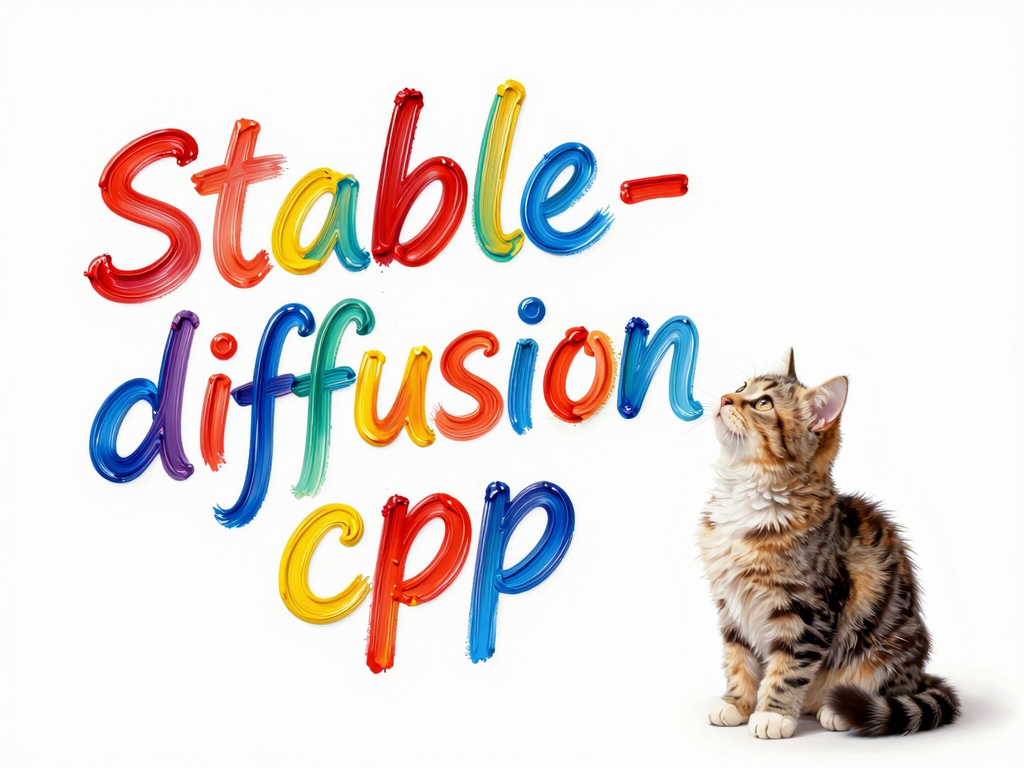 |
This is an RGBA image with transparency. Remove the background of the image, keeping only the text and cat. The image has alpha channel and the background is transparent. |  |
Other features
Other features of the model could be found on the model card from QwenLM/Qwen-Image-2.1 repo, including 2 finetuned prompt rewriting Qwen3.5-9B model.
Options
Prefix cache
Qwen Image 2.1 caches the text and reference-image condition between denoising steps. Positive and negative conditions use separate caches, released when sampling ends.
Set qwen_image_2_1_prefix_cache_type through --model-args:
auto(default): selects FP16 when the Flash Attention path supports it, otherwise FP32. Sage Attention and custom attention scaling use FP32 in this automatic mode.f32: always uses FP32 cache storage.f16: always uses FP16 cache storage, including with ordinary attention.bf16,q4_1,q5_0,q5_1,q8_0,q4_K,q6_K,iq4_nl, andiq4_xs: explicitly select another supported storage type. Quantized storage is lossy;autonever selects it. Unsupported or incompatible types are ignored with a warning, keeping the previous setting or the default.
For example, add --model-args qwen_image_2_1_prefix_cache_type=q8_0 for 8-bit
cache storage. Smaller storage types reduce persistent cache memory but can
change numerical results and add conversion work. Attention working buffers
still require floating-point storage.
For the default 32-layer model and 4096 condition tokens, approximate memory per condition is as follows, excluding weights, working buffers, and overhead:
| Cache type | Memory |
|---|---|
f32 |
4 GiB |
f16 |
2 GiB |
q8_0 |
1.0625 GiB |
q4_0 |
0.5625 GiB |
If cached execution runs out of memory, the runtime releases the caches and retries the full sequence without caching for the rest of that sampling run. Some conditioning extensions also use the full-sequence path.
Disable caching with --model-args qwen_image_2_1_prefix_cache=false. Numerical
results can differ slightly because caching changes computation sizes. See the
prefix cache developer notes for
storage compatibility and implementation details.
DGL system instructions
encode_prompt uses the model's default system message when system is omitted.
system="your instruction" replaces its body; system="" removes the whole
system segment and adjusts the output crop accordingly. User/assistant formatting
and reference-image handling remain model-defined. raw=true accepts the complete
tokenizer input without adding template segments or cropping a template prefix.
Do not combine it with system or image bindings. See DGL prompt formatting.