
5.2 KiB
HiDream-O1-Image
HiDream-O1-Image supports text-to-image generation and reference-image editing with a bundled model checkpoint. Choose the Dev or full checkpoint.
Supported variants
Use the settings below for text-to-image in stable-diffusion.cpp.
| Checkpoint | --steps |
--cfg-scale |
-W / -H |
Sampling options |
|---|---|---|---|---|
| Dev (distilled) | 28 | 1.0 | 1024 | --sampling-method lcm --extra-sample-args noise_scale_start=7.5,noise_scale_end=7.5,noise_clip_std=2.5 |
| HiDream-O1-Image (full) | 50 | 5.0 | 2048 (1024 works) | --sampling-method euler |
For Dev, use lcm with the noise settings above to reduce white speckles seen
with euler. The default LCM noise settings can produce nearly flat images.
The Dev settings were tested with Q5_0 GGUF weights at 768×768 and 1024×1024.
Use the default flow shift for the full checkpoint.
Model files
| Component | Weights and downloads | CLI option | Requirement |
|---|---|---|---|
| HiDream-O1-Image-Dev | Safetensors, GGUF | --model |
Choose matching variant |
| HiDream-O1-Image | Safetensors, GGUF | --model |
Choose matching variant |
Usage
Web UI
Follow the Web UI guide to start the
server, then select the recipe matching your weights. Fill the component slots
below and click Load models.
Use the files and compatibility requirements in Model files.
The Dev recipe preselects euler in the Web UI sampler menu. To pass the LCM
noise arguments for Dev text-to-image, use the DGL script or the
Legacy CLI example.
| Recipe | Component slots |
|---|---|
HiDream O1 Image dev (hidream-o1-dev) |
model |
Slot IDs correspond to CLI component options: diffusion_model uses
--diffusion-model, llm uses --llm, and model uses -m / --model.
Select optional components when required by your checkpoint or task.
DGL
| Example | Description |
|---|---|
| Text to image | HiDream O1 Image Dev. |
Run a script
Edit paths, prompts and settings in the script's var block, then run from
the build directory. Paths inside the script resolve from the working directory.
Windows (PowerShell)
.\bin\Release\sd-cli.exe -M dgl --script ..\docs\dgl\hidream_o1_image\hidream-o1-image-dev-txt2img.dgl
Linux/macOS
./bin/sd-cli -M dgl --script ../docs/dgl/hidream_o1_image/hidream-o1-image-dev-txt2img.dgl
Choose another script from the table to run a different task. Add --check
to validate syntax and types without loading weights. See the
shared run instructions for build paths
and the server's file-access rules.
HiDream O1 uses initial Gaussian noise with a standard deviation of 8. The DGL
example controls this with noise_scale before add_noise:
noise = tensor::affine(tensor::randn_like(base, rng = rng), scale = noise_scale)
start = add_noise(predict, base, noise, sigma = sigmas[0])
Use the same RNG for initial noise and sampling. The initial noise scale is
independent of the sampler's eta parameter. The script passes
extra_sample_args to sample to control the noise added between LCM steps.
Legacy CLI
CLI examples use the shared path and shell conventions.
HiDream-O1-Image-Dev
Windows (PowerShell)
.\bin\Release\sd-cli.exe `
  -m ..\models\checkpoints\hidream_o1_image_dev_bf16.safetensors `
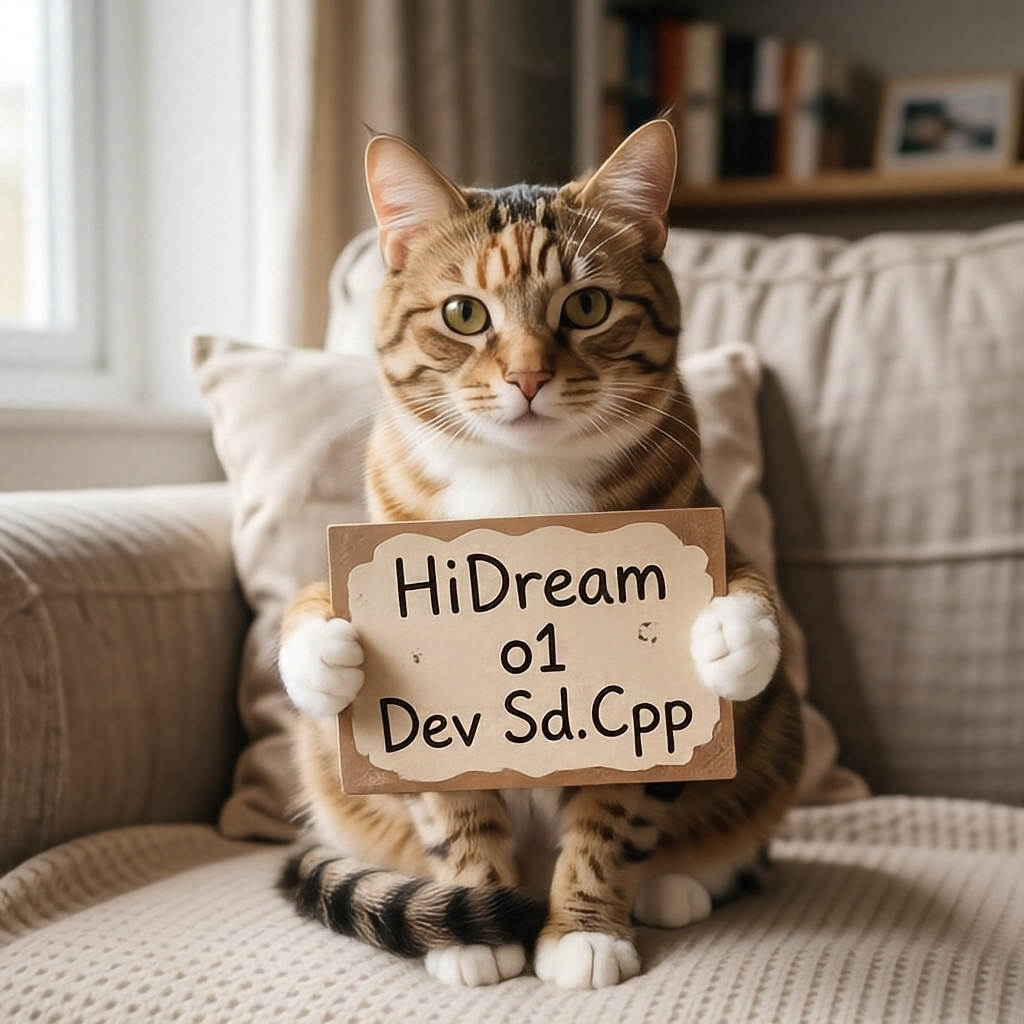
  -p "a lovely cat holding a sign says 'hidream o1 cpp'" `
  --steps 28 `
  --cfg-scale 1.0 `
  --sampling-method lcm `
  --extra-sample-args noise_scale_start=7.5,noise_scale_end=7.5,noise_clip_std=2.5 `
  -H 1024 `
  -W 1024 `
  -v
Linux/macOS
./bin/sd-cli \
  -m ../models/checkpoints/hidream_o1_image_dev_bf16.safetensors \
  -p "a lovely cat holding a sign says 'hidream o1 cpp'" \
  --steps 28 \
  --cfg-scale 1.0 \
  --sampling-method lcm \
  --extra-sample-args noise_scale_start=7.5,noise_scale_end=7.5,noise_clip_std=2.5 \
  -H 1024 \
  -W 1024 \
  -v
HiDream-O1-Image (full)
Windows (PowerShell)
.\bin\Release\sd-cli.exe `
  -m ..\models\checkpoints\hidream_o1_image_bf16.safetensors `
  -p "a lovely cat holding a sign says 'hidream o1 cpp'" `
  --steps 50 `
  --cfg-scale 5.0 `
  --sampling-method euler `
  -H 1024 `
  -W 1024 `
  -v
Linux/macOS
./bin/sd-cli \
  -m ../models/checkpoints/hidream_o1_image_bf16.safetensors \
  -p "a lovely cat holding a sign says 'hidream o1 cpp'" \
  --steps 50 \
  --cfg-scale 5.0 \
  --sampling-method euler \
  -H 1024 \
  -W 1024 \
  -v
Options
The initial noise scale defaults to 8. Use --eta (sample.eta in the C API)
to override it. The same scale applies to the initial and hires sampling stages.