# PiD
PiD is NVIDIA's Pixel Diffusion Decoder. It replaces the usual VAE decode or decode-then-upscale path with a pixel-space diffusion decoder conditioned on a
source latent and text prompt. Both the original PiD checkpoints and PiD 1.5 are supported.
In stable-diffusion.cpp, PiD currently runs as an image edit pipeline: provide a reference image with `-r`/`--ref-image`, encode that image with a matching VAE, then let the PiD diffusion model decode/upscale directly to RGB.
## Model files
| Component | Weights and downloads | CLI option | Requirement |
| --- | --- | --- | --- |
| PiD | [Safetensors](https://huggingface.co/Comfy-Org/PixelDiT/tree/main/diffusion_models) | `--diffusion-model` | Required |
| Gemma 2 2B | [Safetensors](https://huggingface.co/Comfy-Org/PixelDiT/tree/main/text_encoders) | `--llm` | Use matching text encoder |
| Gemma 2 2B tokenizer.json | [Download](https://huggingface.co/google/gemma-2-2b/tree/main) | `--tokenizer` | Required; match text encoder |
| VAE that matches the PiD checkpoint backbone | [Safetensors](https://huggingface.co/nvidia/PiD/tree/main/checkpoints)
Flux / Z-Image PiD: use the Flux VAE and pass `--vae-format flux`
SD3 PiD: use the SD3 VAE and pass `--vae-format sd3`
Flux.2 PiD: use the Flux.2 VAE and pass `--vae-format flux2`
Qwen-Image PiD: use the Qwen-Image 2D VAE and pass `--vae-format wan` | `--vae` | Use matching VAE |
The official PiD model card should be checked before use. At the time of the initial PiD release, the official weights are under the NSCLv1 non-commercial license.
PiD and PiD 1.5 require an external Gemma 2 `tokenizer.json` matching the text encoder checkpoint. Save it as `tokenizer_gemma2.json` and pass it with `--tokenizer`; the tokenizer is not embedded in sd.cpp. See [JSON tokenizers](../guides/tokenizers.md) for CLI and C API usage.
## Usage
### Web UI
Follow the [Web UI guide](../../examples/server/README.md#web-ui) to start the
server, then select the recipe matching your weights. Fill the component slots
below and click **Load models**.
Use the files and compatibility requirements in [Model files](#model-files).
| Recipe | Component slots |
| --- | --- |
| PiD (Flux / Z-Image VAE) (`pid`) | `diffusion_model`, `llm`, `tokenizer`, `vae` |
| PiD 1.5 (Flux / Z-Image VAE) (`pid-15`) | `diffusion_model`, `llm`, `tokenizer`, `vae` |
| PiD (SD3 VAE) (`pid-sd3`) | `diffusion_model`, `llm`, `tokenizer`, `vae` |
| PiD 1.5 (SD3 VAE) (`pid-15-sd3`) | `diffusion_model`, `llm`, `tokenizer`, `vae` |
| PiD (Flux.2 VAE) (`pid-flux2`) | `diffusion_model`, `llm`, `tokenizer`, `vae` |
| PiD 1.5 (Flux.2 VAE) (`pid-15-flux2`) | `diffusion_model`, `llm`, `tokenizer`, `vae` |
| PiD (Qwen Image VAE) (`pid-qwen-image`) | `diffusion_model`, `llm`, `tokenizer`, `vae` |
| PiD 1.5 (Qwen Image VAE) (`pid-15-qwen-image`) | `diffusion_model`, `llm`, `tokenizer`, `vae` |
Slot IDs correspond to CLI component options: `diffusion_model` uses
`--diffusion-model`, `llm` uses `--llm`, and `model` uses `-m` / `--model`.
Select optional components when required by your checkpoint or task.
### DGL
| Example | Description |
| --- | --- |
| [Text to image](../dgl/pid/pid-flux1-512-to-2048-txt2img.dgl) | Four-step generation from 512 to 2048 pixels. |
#### Run a script
Edit paths, prompts and settings in the script's `var` block, then run from
the build directory. Paths inside the script resolve from the working directory.
**Windows (PowerShell)**
```powershell
.\bin\Release\sd-cli.exe -M dgl --script ..\docs\dgl\pid\pid-flux1-512-to-2048-txt2img.dgl
```
**Linux/macOS**
```sh
./bin/sd-cli -M dgl --script ../docs/dgl/pid/pid-flux1-512-to-2048-txt2img.dgl
```
Choose another script from the table to run a different task. Add `--check`
to validate syntax and types without loading weights. See the
[shared run instructions](../dgl/README.md#run-an-example) for build paths
and the server's file-access rules.
### Legacy CLI
CLI examples use the [shared path and shell conventions](README.md#example-conventions).
**Windows (PowerShell)**
```powershell
.\bin\Release\sd-cli.exe `
--diffusion-model ..\models\diffusion_models\pid_flux1_512_to_2048_4step_bf16.safetensors `
--llm ..\models\text_encoders\gemma_2_2b_it_elm_bf16.safetensors `
--tokenizer ..\models\tokenizers\tokenizer_gemma2.json `
--vae ..\models\vae\ae.sft `
--vae-format flux `
-p "a lovely cat" `
-r ..\inputs\ernie_image\turbo_example.png `
--cfg-scale 1.0 `
--steps 4 `
-H 2048 `
-W 2048 `
--rng cpu `
-v
```
**Linux/macOS**
```sh
./bin/sd-cli \
--diffusion-model ../models/diffusion_models/pid_flux1_512_to_2048_4step_bf16.safetensors \
--llm ../models/text_encoders/gemma_2_2b_it_elm_bf16.safetensors \
--tokenizer ../models/tokenizers/tokenizer_gemma2.json \
--vae ../models/vae/ae.sft \
--vae-format flux \
-p "a lovely cat" \
-r ../inputs/ernie_image/turbo_example.png \
--cfg-scale 1.0 \
--steps 4 \
-H 2048 \
-W 2048 \
--rng cpu \
-v
```
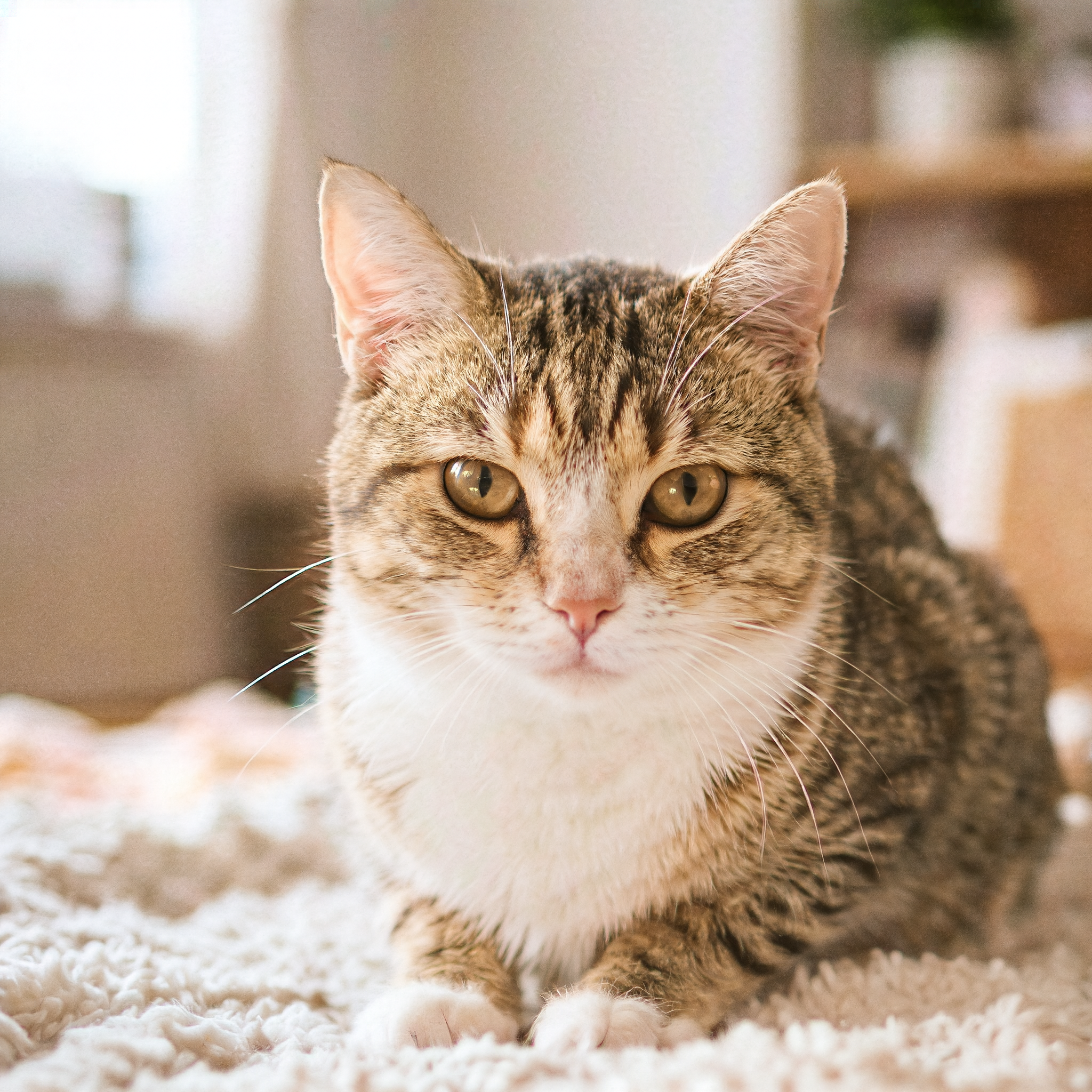
Before:
 After:
 ## Notes and limitations
- `-r`/`--ref-image` is required. PiD uses the first reference image as the source latent condition.
- `--vae-format` should match the VAE latent layout used by the PiD checkpoint. This is important when using standalone VAE files because the PiD diffusion
checkpoint alone does not identify the VAE format.